

eSIM basics
Running low on data? How to top up your eSIM without installing a new one

You're halfway through the trip and the data is running out. The good news: you don't need a new eSIM. With Blue eSIM you add data to the one already on your phone. There's no QR code to scan and nothing to install, and it keeps working without a break.
How to top up in the app
- Open the Blue eSIM app and tap the eSIM that is running low.
- Tap Top up.
- Pick a package. You'll see the data, the days and the price.
- Pay with Apple Pay, Google Pay, a card or your Blue balance.
The new data is usually added to the same eSIM within a few minutes. You don't need to change any settings on your phone.
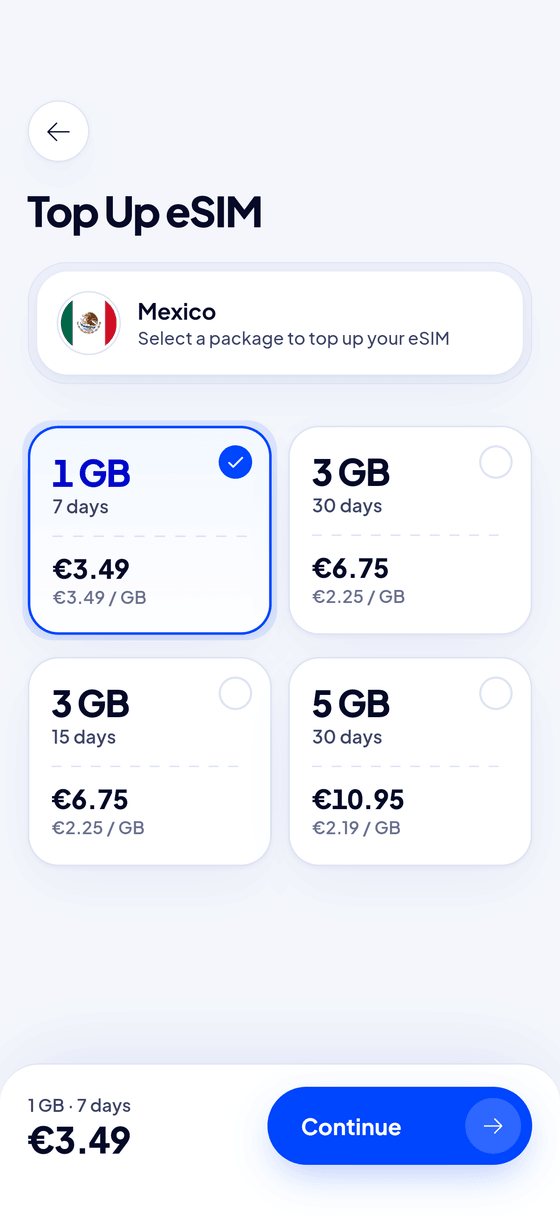
How to top up on the website
No app? Go to the Top up page on our website and enter your order number. You'll find it in your confirmation email. Then pick a package and pay. It works the same way.
What a top-up gives you
A top-up package adds data to your eSIM, together with its own number of days. You'll see both before you pay. Your phone keeps the same eSIM, the same settings and the same connection.
Why can't I see any top-up packages?
A few eSIMs can't be topped up, depending on the plan and the network. If the app shows no packages, or says top-up isn't available right now, buy a new plan for your destination instead. You can install it next to the old one, and switch mobile data to it in your phone's settings.
Tips so you don't run out
- Check your data in the app. It shows what's left and how many days remain.
- Turn off automatic photo backup and app updates on mobile data.
- Use hotel Wi-Fi for video calls and streaming.
- Download maps and playlists before you leave the hotel.
Our data calculator helps you pick the right size next time.
Frequently asked questions
Do I lose the data I have left when I top up?
No. A top-up adds data to your eSIM.
Can I top up an eSIM that someone bought for me?
Yes, if it shows in your own Blue eSIM app. Sign in with the email it was sent to.
Does a top-up start a new eSIM?
No. It's the same eSIM, with more data. There's nothing to install.